Monday, 29 June 2009

Customize Genius Media Key

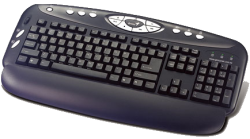
Genius Keyboard 16eI have this Genius Comfy KB-16e model K640 keyboard. I went to the Genius web site and downloaded the drivers and Media Key application which is supposed to control what the "media" keys are doing. But the application is crap. It only shows some of the buttons I have and some I don't. Most annoying, I don't have listed the buttons for previous/next track.

The solution is to modify the registry. If you go to the Media Key installation directory (typically in Program Files) you will see a registry file called Magickey.reg. It holds all the information loaded in the reg by the installer of the Media Key application. Open it with notepad (not by double clicking!) and search for "Function Table". You will see a bunch of equalities like:
"0000000B"="Show MediaPlayer"
You will need to write somewhere the numbers associated with the keys that don't appear in the Media Key application. In my case
"00002000"="Previous Track"
"00002005"="Next Track"
Ok, now run regedt32.exe from the command line (or Run command in the Start Menu) and navigate to HKEY_LOCAL_MACHINE\Software\WayTech\Versato\System. You will see there stuff like button1, button2... and their values 0000XXXX or some string holding a path. All you have to do is double click on the buttons that hold the numbers you wrote down as the value (in my case 2000 and 2005) and write instead of the value a path to a batch file or an exe file. I use bat files so I can change them later.

So, in my case I double clicked on button17 and button18 and filled the value with C:\Batches\prevTrack.bat and C:\Batches\nextTrack.bat. And now it works. I am sure you can change something in the registry to actually make the buttons visible in the Media Key application, but I don't care about that. If you do it, please let me know.

If you have the same problem as I do and all you want to do is set up your Music, PlayPause and Prev/Next buttons, take the text below and write it into a file with the .reg extension, change the paths to your own batch files, then double click on it:
Windows Registry Editor Version 5.00

[HKEY_LOCAL_MACHINE\SOFTWARE\WayTech\Versato\System]
"button7"="C:\\Batches\\playpause.bat"
"button8"="C:\\Batches\\playlist.bat"
"button17"="C:\\Batches\\prevTrack.bat"
"button18"="C:\\Batches\\nextTrack.bat"

Sunday, 28 June 2009

Might and Magic IX

I know, Might and Magic IX is an old game, but I haven't played it because, after being a HUGE fan of Might and Magic 1 through 5 I got really dissapointed with versions 6,7 and 8, which used 3D technology, but presented a lot less as the game story and playability was concerned. Then I played the tenth version, Dark Messiah of Might and Magic, which was a completely different game, more of an Arx Fatalis 2, rather than M&M 10. Not that it wasn't very very cool, just wasn't what I had expected from an M&M game.

Enter Might and Magic IX. From the start it looked less modern than versions 6-8, which prompted my friend to think that he played more recent versions of the game. It became soon apparent that it was an attempt to go back to the roots. The game was complex, the map large, the monsters inventive and the storyline pretty interesting. Also, they returned to the old solution of dungeons, where entering a place was moving you to a new map, rather than a small part of the larger one.

I loved every moment of it until close to the end. The cities at the end of the game had less stuff in them, less monsters around and of a more poor quality. I kind of expected that, since it must have been a long software project plagued by a release deadline in the end. However, when I had to spend hours trying to get around dungeons filled with powerful yet silly monsters just to get to the end, I got very bored. I actually did not finish the game, only about 95% of it.

The game had an unhealthy amount of undead creatures, which made Turn Undead a very useful spell. Unfortunately, I think it was a bit buggy. After a strong Turn Undead monsters continued to run, even if the spell wore off. Another really nice spell was Enrage, which allowed one to make monsters fight each other. Wizard Eye was a bit annoying, since it lasted a too short a time.

I recommend you check the character development tree (Druid, Healer, Lich, Gladiator, Assassin, etc) and decide from the very start which character in your party will be what. Pay extra attention to the promotions. You may be able to promote more characters in the same time, but then you are commited to that path with all of the characters. Try to build each character in a different class. Some allow for very powerful spells that one cannot learn or use otherwise.


I don't want to spoil anything, so I will let you play it and enjoy. I applaud the return to the old values of Might and Magic, even if those older games had a lot more brain and humour in them and this had a lot of braun. The ending was inconsistent with the M&M storyline so far which was disappointing.

Bottom line: greatest of the true Might and Magic 3D games, I wish I was young again and full of free time so I can play it without looking at the clock all the time. If you somehow missed it, do play it.

Foundations of Programming by Karl Seguin

Book cover
Foundations of Programming is a free ebook written by Karl Seguin, a member of the CodeBettter community. As you might have guessed by now from the fact the book is free, he is Canadian. :)

There is even a Foundation of Programming site, where there are a lot of free resources on programming as well as other free ebooks.

About the book, it is a good read. A bit inconsistent, it seemed, since it starts with chapters on Domain Driven Design, Persistence, Dependency Injection, Unit Testing, then moves to Object Relational Mappers and then has three "Back to Basics" chapters about Memory, Exceptions and Proxies. There is a logic to this, but the jump from expert to junior programming and then back again was a little annoying.

Interestingly enough, Karl Seguin is a former Microsoft MVP that advocates ALT.Net.

Bottom line, it is a good and easy read for all levels of programming. People might be attracted to the way Karl is expressing his opinion without actually being biased towards any of the usual debate parties. Beginners might learn about the foundations of the stuff they take for granted, like heap/stack, while more advanced developers can start thinking about structured ways of doing work, like DDD and automated unit testing. Neither chapter is a complete new revelation, but taken together, they do present a clear picture of programming from Karl Seguin's perspective and can surprise you on matters you thought you had complete control over.

Thursday, 25 June 2009

Detecting DesignMode in XAML

I was trying to build a control that has a border around it only in design mode. You do have the static class DesignerProperties and its method GetIsInDesignMode(DependencyObject element) to detect that in code, and you do have a property DesignMode on Components, but one that is not a Dependency property. How can you detect DesignMode in XAML?

Well, looking at the source for DesignerProperties I noticed that it does two things:
  1. Register an attached property called IsInDesignMode to itself
  2. Get/Set that dependency property in the GetIsInDesignMode/SetIsInDesignMode methods


More on how to create attached properties here: How to Create an Attached Property and here: Showing Attached Properties in the Cider/Visual Studio WPF Designer.

So, all I had to do is use a trigger on the IsInDesignMode attached property. For that, these steps must be followed:
  • Add the ComponentModel namespace to your XAML: xmlns:ComponentModel="clr-namespace:System.ComponentModel;assembly=PresentationFramework"
  • Use ComponentModel:DesignerProperties.IsInDesignMode in your Triggers as the Property
  • Use (ComponentModel:DesignerProperties.IsInDesignMode) in your DataTriggers as the Path of Bindings


Please take notice of the brackets around the property when used in Binding Path mode. It is the only way to use attached properties there. It also gives you more advanced intellisense and warnings and a faster type resolution at runtime.

Another thing to take into consideration is that (at least in Silverlight) this mechanism is buggy, at least that's what I found in this blog post.

SQL Parameter Sniffing - query execution time varies without reason

It was not a problem I encountered (maybe) but a blog post from Chris Brandsma from ElegantCode. Apparently, because of attempts by the SQL Server (not only Microsoft's, btw) to "optimize" a query based on input parameters, query execution time may vary immensely without any obvious reason. Imagine debugging that baby!

Anyway, here is the blog post, one important enough for Chris to repost it these last few days.

Wednesday, 24 June 2009

Dependency Properties in WPF

I don't want to write a long blog entry, just to attract attention to this blog entry from Josh on WPF which is very concise, to the point and also directing to more complex articles that add more detail.

Even so, I want to cite a part which I think is essential to understanding the concept of Dependency Properties: Remember, a DP never really “has” a value…its value depends on various external factors. That’s why they are called dependency properties.